
SQL Server 2005 Backward Compatibility
This feature is installed automatically by the Microsoft SQL Server install for most editions of SQL Server, but is not included in the 32-bit install for SQL Server 2008 and above, so therefore only the x86 download is given.
Automated installation of SQL Server 2005 Backward Compatibility is performed by Process Id 4IE and is controlled by the parameters below:
| Install Parameter | Build | SQL 2005 | SQL 2008 | SQL 2008 R2 | SQL 2012 |
|---|---|---|---|---|---|
| InstSQLBC | FULL | Yes | Yes | Yes | Yes |
| InstSQLBC | WORKSTATION | Yes | Yes | Yes | Yes |
| InstSQLBC | CLIENT | Yes | Yes | Yes | Yes |
SQL Server 2005 Backward Compatibility will also be installed if you install DTS Designer.
Install SQL Server 2005 Backward Compatibility
You can install and configure the SQL Server 2005 Backward Compatibility as part of the SQL Server install process.
If you do not want to include SQL Server 2005 Backward Compatibility in your install, then do not download it.
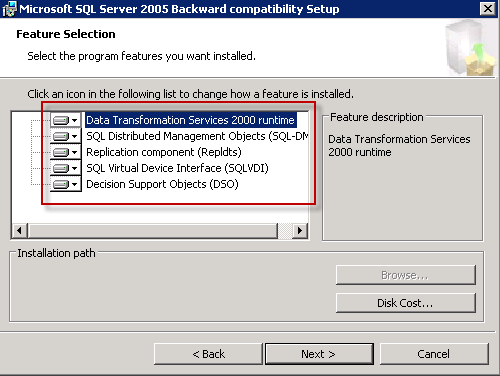
SQL Server 2005 Backward Compatibility is written by Microsoft. It was chosen to be included in FineBuild because it allows legacy DMO applications to run and is a pre-requisite for DTS Designer support.
| SQL Server 2005 Backward Compatibility home page | See SQL Server 2008 Feature Pack home page http://www.microsoft.com/download/en/details.aspx?id=20101, which can also be used on more recent versions |
| SQL Server 2005 Backward Compatibility download | http://download.microsoft.com/download/3/1/6/316FADB2-E703-4351-8E9C-E0B36D9D697E/SQLServer2005_BC.msi |
Leave a Reply
You must be logged in to post a comment.